
Cropping images is common across iOS and macOS, especially cropping user profile images in social media apps. This post presents examples for cropping images in Swift, including a center and circle crop:
Note: this post will focus on cropping images. If you would like to learn about changing an image’s size, check out this post:
Resize UIImage Without Stretching in Swift
Learn how to scale a UIImage to a target size while keeping the aspect ratio the same
Crop Image
A center crop takes an existing image and crops the image to a shape showing the center of the image. In the following example, a center square crop will be applied to a rectangular image.
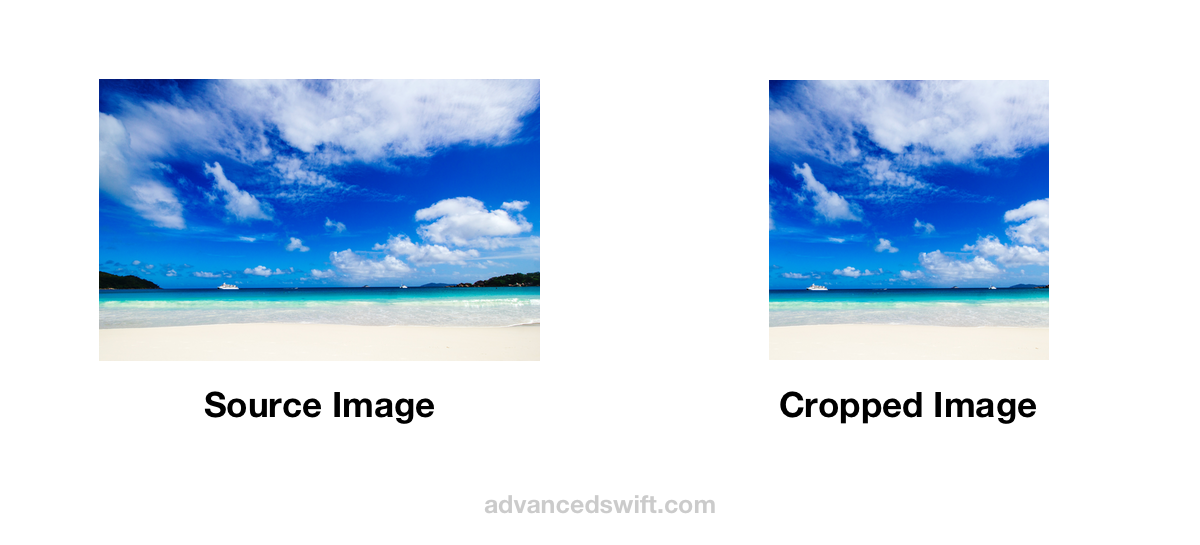
Center Crop Image
The CGImage method cropping(to:) can be used to perform a rectangular crop:
let sourceImage = UIImage( named: "imageNameInBundle")!// The shortest sidelet sideLength = min( sourceImage.size.width, sourceImage.size.height)// Determines the x,y coordinate of a centered // sideLength by sideLength square let sourceSize = sourceImage.sizelet xOffset = (sourceSize.width - sideLength) / 2.0let yOffset = (sourceSize.height - sideLength) / 2.0// The cropRect is the rect of the image to keep, // in this case centeredlet cropRect = CGRect( x: xOffset, y: yOffset, width: sideLength, height: sideLength).integral// Center crop the imagelet sourceCGImage = sourceImage.cgImage!let croppedCGImage = sourceCGImage.cropping( to: cropRect)!This visualization provides a reference for the geometry applied in this example code:
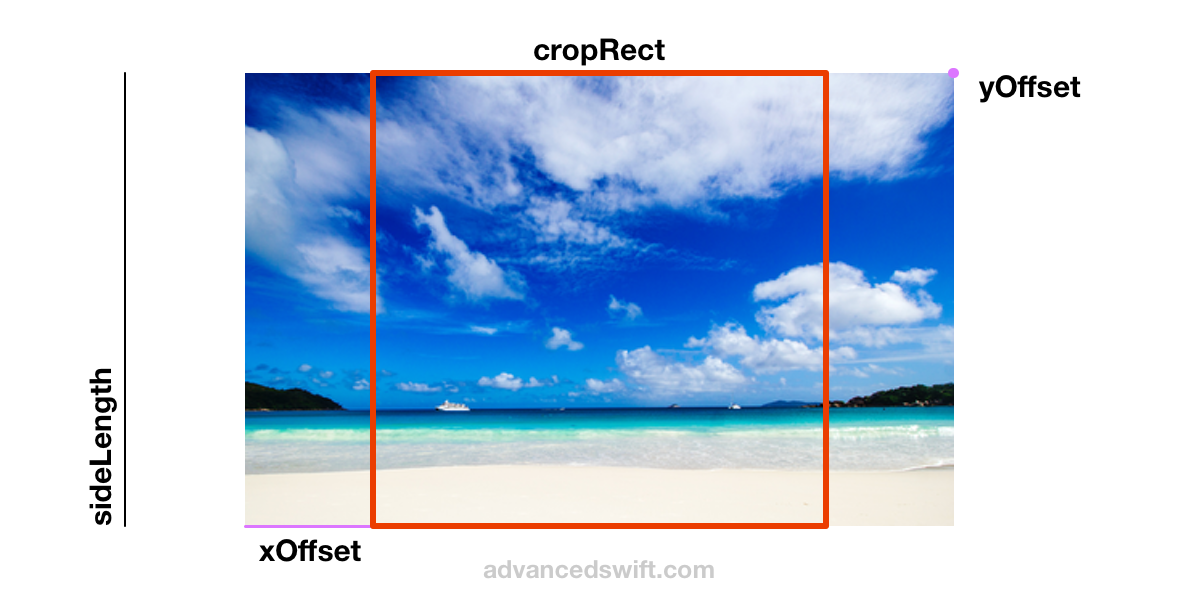
Crop UIImage
To obtain a UIImage from cropped CGImage croppedCGImage, use the imageRenderFormat.scale and imageOrientation of the source image sourceImage:
// Center crop the imagelet sourceCGImage = sourceImage.cgImage!let croppedCGImage = sourceCGImage.cropping( to: cropRect)!// Use the cropped cgImage to initialize a cropped // UIImage with the same image scale and orientationlet croppedImage = UIImage( cgImage: croppedCGImage, scale: sourceImage.imageRendererFormat.scale, orientation: sourceImage.imageOrientation)Crop Image To Circle
UIGraphicsImageRenderer and UIBezierPath can be used to circle crop a UIImage in Swift . In the following example, a centered circular crop will be applied to a rectangular image.
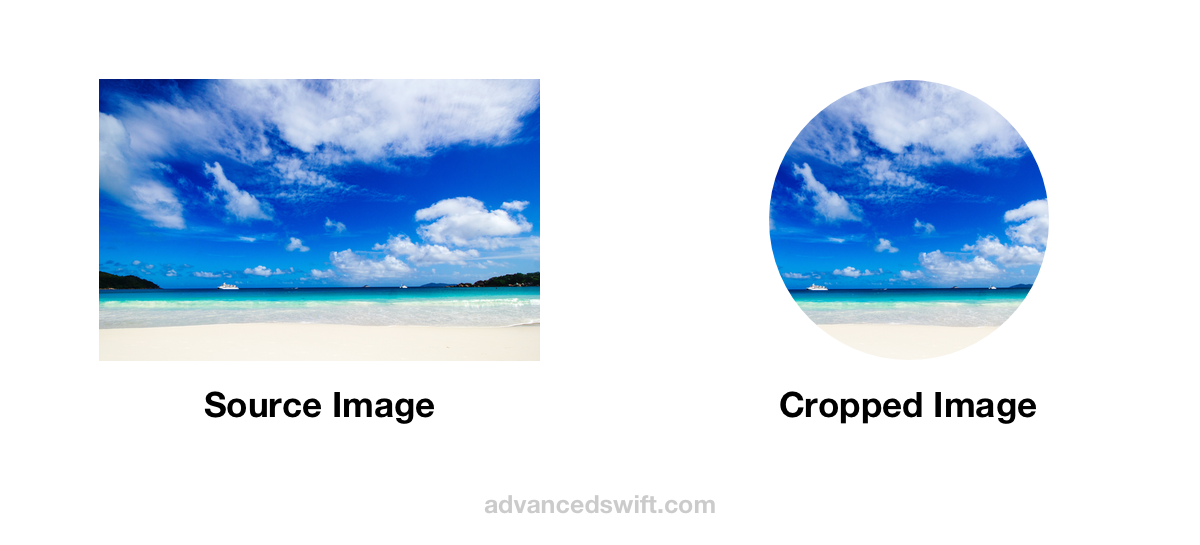
// This example uses xOffset, yOffset, cropRect, // sourceImage, and croppedCGImage as computed in the // Center Crop Image example earlier in this post// Start with the result of the Center Crop // Image examplelet sourceCGImage = sourceImage.cgImage!let croppedCGImage = sourceCGImage.cropping( to: cropRect)!// A circular crop results in some transparency in the // cropped image, so set opaque to false to ensure the // cropped image does not include a background filllet imageRendererFormat = sourceImage.imageRendererFormatimageRendererFormat.opaque = false// UIGraphicsImageRenderer().image provides a block // interface to draw into in a new UIImagelet circleCroppedImage = UIGraphicsImageRenderer( // The cropRect.size is the size of // the resulting circleCroppedImage size: cropRect.size, format: imageRendererFormat).image { context in // The drawRect is the cropRect starting at (0,0) let drawRect = CGRect( origin: .zero, size: cropRect.size ) // addClip on a UIBezierPath will clip all contents // outside of the UIBezierPath drawn after addClip // is called, in this case, drawRect is a circle so // the UIBezierPath clips drawing to the circle UIBezierPath(ovalIn: drawRect).addClip() // The drawImageRect is offsets the image’s bounds // such that the circular clip is at the center of // the image let drawImageRect = CGRect( origin: CGPoint( x: -xOffset, y: -yOffset ), size: sourceImage.size ) // Draws the sourceImage inside of the // circular clip sourceImage.draw(in: drawImageRect)}This visualization provides a reference for the geometry applied in this example code:
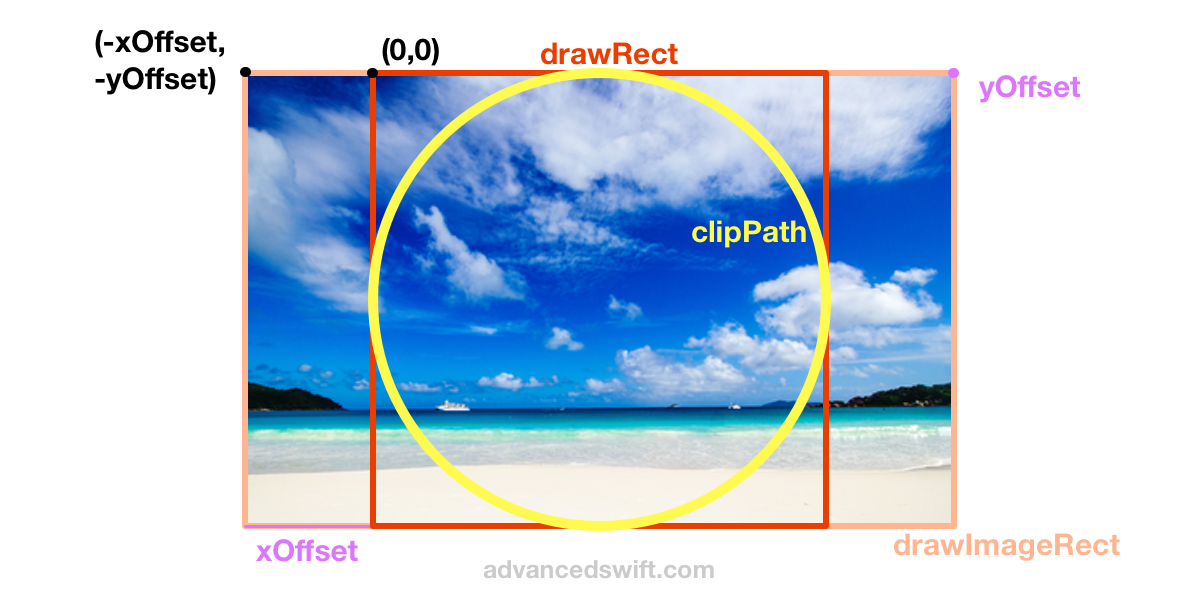
Swift Crop Image Programmatically
That’s it! By using UIGraphicsImageRenderer, UIBezierPath, and UIImage you can crop images to different shapes and orientations in Swift.


0 Comments